OpenCV
OpenCV is a good computer vision and machine learning library
Environment: Windows 10; Visual Studio 2019; OpenCV 4.3.2
Version corresponding table
| Visual Studio version | Visual C++ version |
|---|---|
| VS 6.0 | VC 6.0 |
| VS 2013 | VC 12 |
| VS 2015 | VC 14 |
| VS 2017 | VC 15 |
| VS 2019 | VC 16 |
Steps:
download and extract OpenCV files. https://opencv.org/releases/
add the
bin(here isD:\OpenCV\build\x64\vc15) folder intoPath,for example:
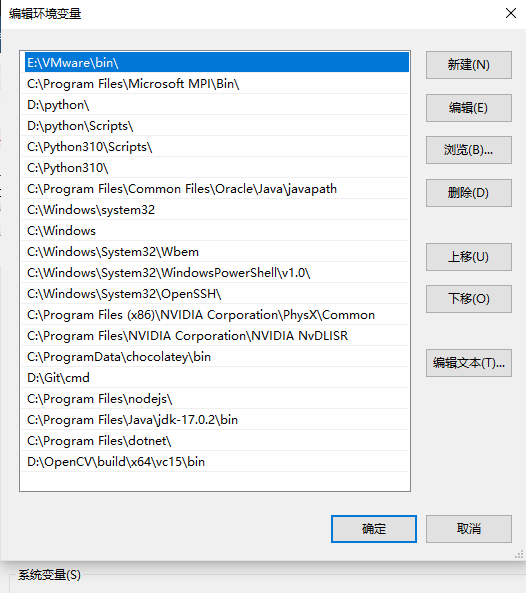
Note: Select the folder corresponding to vc15
There are 2 ways to config: one is for current project, another is for current user. Here we config for current project.
right click
Resource Files→Add→New Itemto creat themain.cppfileSet the platform as
x64which is becauseOpenCV4.3.0only supportx64right click
OpenCV→Properties→VC++ DirectoriesConfig include directories: edit
include Directories,add directoriesD:\OpenCV\build\includeandD:\OpenCV\build\include\opencv2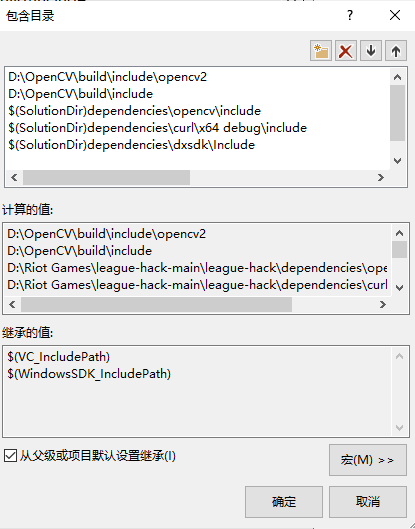
Config
library directories,addD:\OpenCV\build\x64\vc15\lib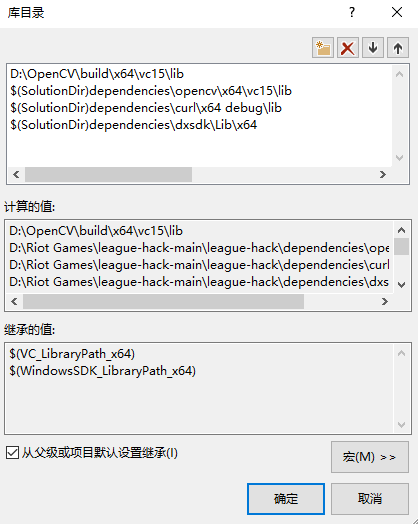
Go back to
OpenCV Property Pages, clickLinker→Input,selectAdditional Dependencies,edit. Addopencv_world432d.libfromD:\OpenCV\build\x64\vc15\lib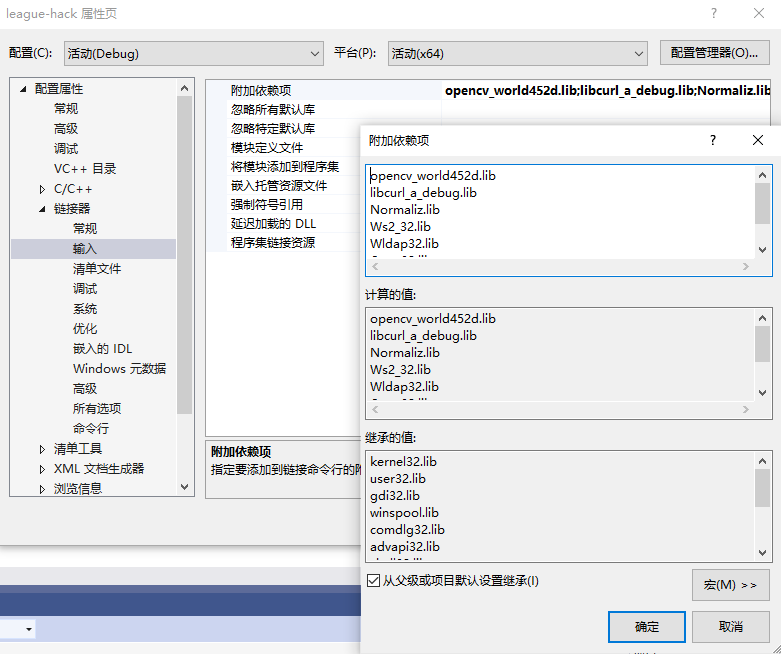
Apply or OK